
Dental HR Software for Multi Practices
Manage staff profiles, automate attendance, monitor CPD, and approve holidays from one secure platform, reducing HR administration and keeping your dental practice compliant.
It allows practice administrators to add and manage staff profiles seamlessly, track their Continuing Professional Development (CPD), and store important documents like training certificates and qualifications.
The system features role-based templates that assign specific tasks and document requirements according to each employee’s role, such as dentist, hygienist, or receptionist.
Dental Professional Portal (DPP) With role-based access and permissions, staff can only view their relevant information, while managers can access records for all employees across branches.
This ensures security and efficiency. The module also facilitates document management, allowing admins to easily upload and assign documents to the correct profiles, ensuring everything stays organised and up-to-date for compliance and audits.
For multi practices, the system ensures that staff and their documents are accurately tracked according to their branch assignments.
Multi
Support
4.8★
Trustpilot
Rating
Who uses Dental HR Software?
-
Practice owners & principals
Multi-site oversight, compliance reporting, payroll prep
-
Practice managers
Daily attendance, holiday approvals, document management
-
Clinical staff
Track own CPD, submit leave, view payslips
-
Dental groups & DSOs
Standardise HR across multiple locations from one platform
Streamline Your Practice with DPP
DPP’s Dental HR Module centralises your entire workforce management into a single, intuitive dashboard. Whether you are running a single practice or managing multiple locations, practice managers can effortlessly add staff profiles, assign role-based document templates and track compliance at a glance. Book a Demo
What is Dental HR software?
Dental HR management software ( DPP’s Module ) centralises everything in one secure, cloud-based platform purpose-built to handle the unique document obligations and access permissions tailored to every individual role from dentists and hygienists to dental nurses, trainees and receptionists.
Why Dental Practices Need It
Maintaining audit-ready records with traditional spreadsheets is incredibly difficult and prone to error.
Dental-specific software solves this by providing:
✓ Centralised staff profile management for all roles
✓ Secure attendance recording by practice location
✓ Holiday request and approval management
✓ Document storage for certificates and qualifications
✓ Multi-branch access with role-based permissions
Everything a dental practice needs to manage its team
DPP replaces disconnected spreadsheets, paper records, and generic HR tools with a single platform designed around how UK dental practices actually work.
Centralised Employee Management
Add and manage staff profiles for every role (dentist, hygienist, nurse, receptionist) across all practice locations. Documents, qualifications, and employment records all in one place.
GDC CPD tracking
Track Continuing Professional Development hours for every GDC-registered team member. Upload certificates, set deadline reminders, and stay audit-ready at all times.
Secure attendance recording
Staff clock in and out from trusted IP addresses or designated practice locations only. Managers review, edit, and approve records in real time. Total hours calculated automatically.
Holiday and leave management
Staff submit holiday requests via calendar. Managers approve or decline with one click. Real-time notifications and automatic rota updates prevent scheduling conflicts across the practice.

Role-based access control
Assign role templates (dentist, hygienist, nurse, receptionist) that define exactly what each employee can access. Staff see only their own records; managers see their whole branch.
Document management
Upload and assign CPD certificates, DBS checks, indemnity insurance, and training records directly to staff profiles. Role-based access ensures the right people see the right documents.
Manage people with ease—not with stress

✓ IP-restricted clock-in prevents false entries
✓ Real-time attendance view across all branches
✓ Automatic total hours calculation for payroll
✓ Manager approval workflow for timesheet
✓ Exportable records for audit and payroll
Accurate attendance management for dental practices — across every location
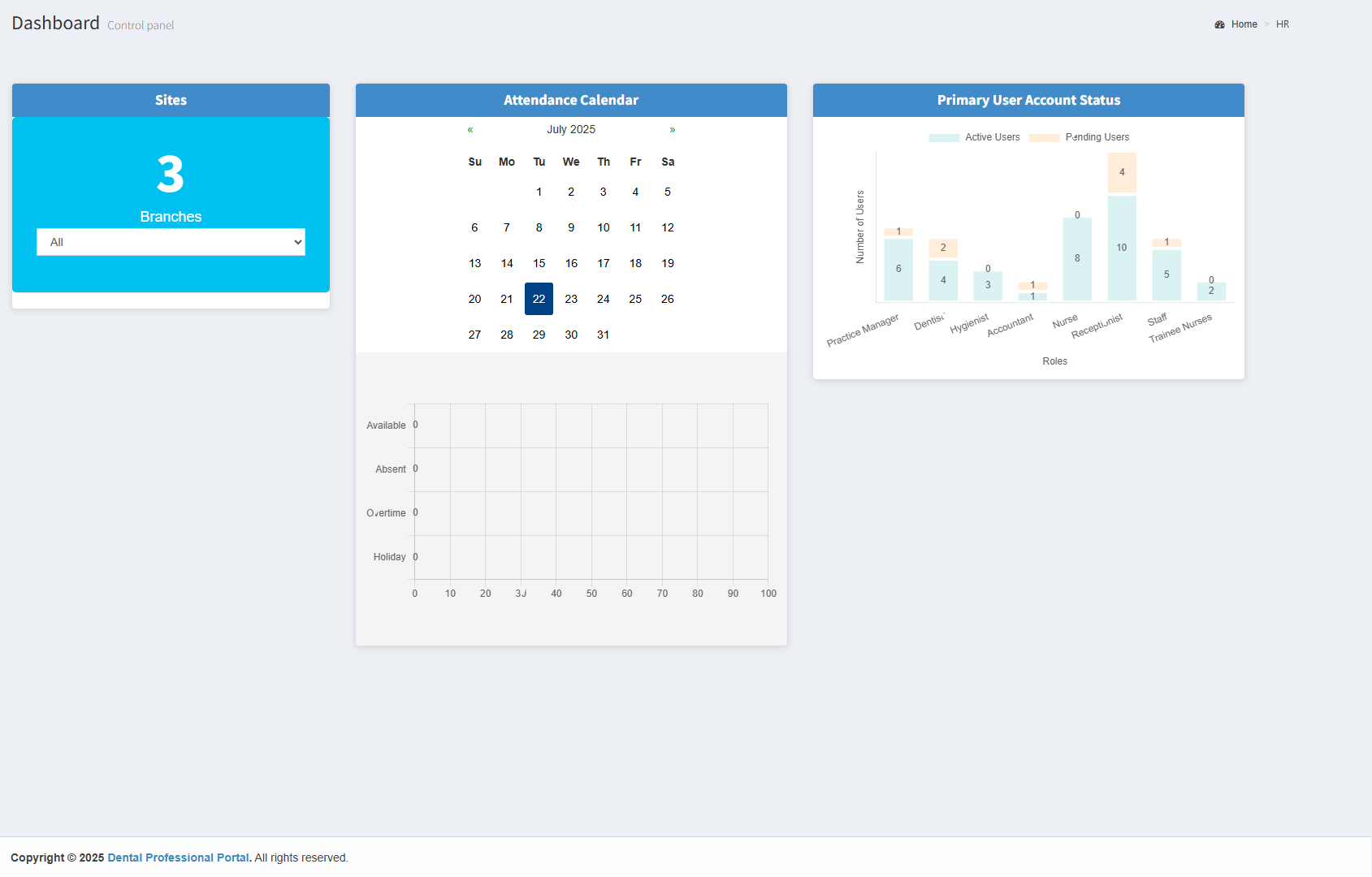
Easily track and manage staff attendance across one or multiple practice locations. Our secure attendance module allows staff to clock in and out with real-time accuracy, while admins and practice managers can view, edit, and approve records with full control.
Attendance is recorded only from trusted IP addresses or designated practice locations, ensuring accuracy and preventing misuse. The system also logs total hours worked and simplifies holiday and time-off requests—giving you a clear overview of staff presence and scheduling at all times.
Holiday Management that keeps your rota covered — Automatically
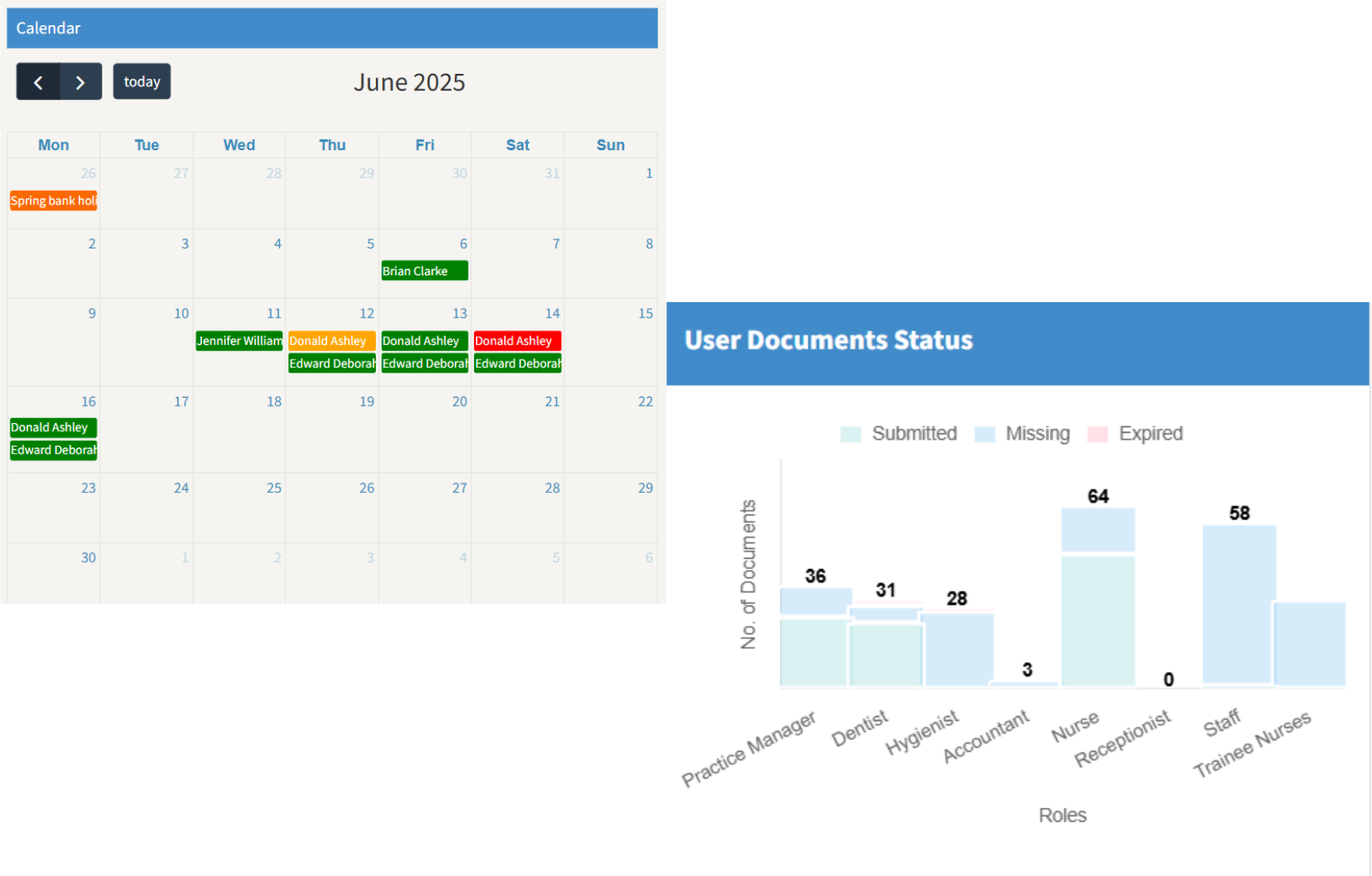
DPP’s Holiday Management module simplifies the way dental practices handle staff leave. Staff can easily view their leave balance and submit holiday requests through a user-friendly calendar interface, while managers can review and approve requests quickly and efficiently.
Real-time notifications keep both staff and managers informed of approval statuses, reducing back-and-forth communication. This streamlined process helps avoid scheduling conflicts, ensures adequate staffing levels, and saves valuable admin time across your practice.

✓ Calendar-based leave submission for all staff
✓ Real-time leave balance visible to staff and managers
✓ Instant manager notifications for approvals
✓ Conflict detection before approval
✓ Statutory and contractual leave entitlement tracking

Document Management & Role Based Permission
Admins can upload and assign essential documents like CPD records and training certificates, ensuring compliance and accessibility. Role-based access guarantees that dental professionals and staff can only view relevant information, enhancing security. Role templates help admins maintain control over system access, ensuring consistent workflows across all practices.
User Management Across Practices
Easily managing dental staff across various locations and with role-based templates, admins can assign tasks, training, and document requirements based on each employee’s role (e.g., dentist, hygienist, nurse, trainee-nurse, receptionist, and so on). You can easily add and manage users across multiple practices, ensuring the integration of employee profiles, documents, and qualifications.

Dental HR Module Demo
Book an appointment with our friendly team to find out the benefits of using Dental Professional Portal ( DPP ) Dental HR Module in your practice.
Stay Organised with DPP Compliance Management
How DPP compliance management works:Compliance information and related records can be managed within DPP based on user permissions. Practice managers and authorised users can review compliance information, maintain required records, and monitor the status of compliance activities across the practice. This provides a centralised view of compliance information and helps practices keep their records organised and up to date.
DPP dental HR software vs managing staff on spreadsheets
Most dental practices still track HR in Excel. Here’s what that costs — and what switching to DPP changes.
- ✓ Attendance recorded by location, IP addresses, Timestamped
- ✓ Holiday requests and approvals in Real Time, Conflicts Flagged
- ✓ Documents stored securely against the correct staff profile
- ✓ Role-based access — staff see only their own data
- ✓ Multi-location: manage branches from one login
- ✕ CPD tracked — easy to miss, hard to verify
- ✕ No location enforcement on timesheets — open to errors
- ✕ Leave managed by email — no conflict detection
- ✕ Documents stored in folders — version control nightmare
- ✕ Anyone with access can view all staff records
- ✕ Each location managed separately — no overview
- ✕ Hours of admin to compile records before an inspection
Everything practice managers ask before switching to DPP.
Dental HR software is a cloud-based platform designed for the specific compliance needs of dental practices. Unlike generic HR software, it tracks GDC CPD requirements by role, enforces location-based attendance, and stores documents like DBS checks and indemnity certificates against the correct staff profile. Dental practices need it because GDC registration carries legally mandated CPD requirements and CQC inspections require audit-ready records — both of which are difficult to maintain reliably with spreadsheets.
Yes. DPP's HR module is built for multi-location dental groups. Practice managers can view and manage staff records across all branches from a single dashboard. Each staff member is assigned to their primary branch, and role-based access ensures that managers see only the locations they are responsible for, while group-level administrators have full visibility across all sites.
Yes. DPP only allows staff to clock in and out from IP addresses that the practice administrator has approved — typically the practice's broadband connection. This means Clock-in is limited to IP addresses your administrator approves, usually the practice broadband. Every record is timestamped and goes through manager approval.
Yes. Staff log into their own DPP profile, check their remaining leave balance, and submit a holiday request through a calendar interface. The practice manager or administrator receives an instant notification, reviews the request, checks for any scheduling conflicts, and approves or declines it in one click. The staff member is notified immediately, and the rota is updated automatically.
DPP supports all common dental practice roles including principal dentist, associate dentist, dental hygienist, dental nurse, trainee dental nurse, receptionist, and practice manager. Each role can be assigned a template that defines the CPD requirements, mandatory documents, and system access permissions appropriate for that position.
DPP keeps all staff records, CPD certificates, DBS checks, indemnity documents, and training records in one centralised, searchable platform. During a CQC inspection or GDC audit, practice managers can pull any record in seconds rather than searching through filing cabinets or multiple spreadsheets. The system also tracks document expiry dates and flags upcoming renewals — ensuring practices never have an expired DBS or lapsed indemnity certificate go unnoticed.
HR works better alongside DPP's other modules
DPP is a complete practice management platform. Combine HR with Financial and Compliance for full coverage.
💰 Financial management
Associate pay, NHS targets, and financial reporting — connected to your HR data.
→📋 Compliance management
CQC-ready compliance tracking, risk assessments, and mandatory training logs alongside HR records.
→🏷️ View pricing plans
Transparent per-user pricing. No hidden fees, no long-term contracts.
→📊 ROI calculator
See how much admin time and money DPP saves your practice each month.
→Ready to modernise HR at your dental practice?
Join dental practices across the UK that have replaced spreadsheets with DPP. Start your free trial in minutes — no card required.