
Navigating the Move to Cloud-Based Dental Practice Management
Why Cloud-Based Dental Software Is Gaining Ground in the UK
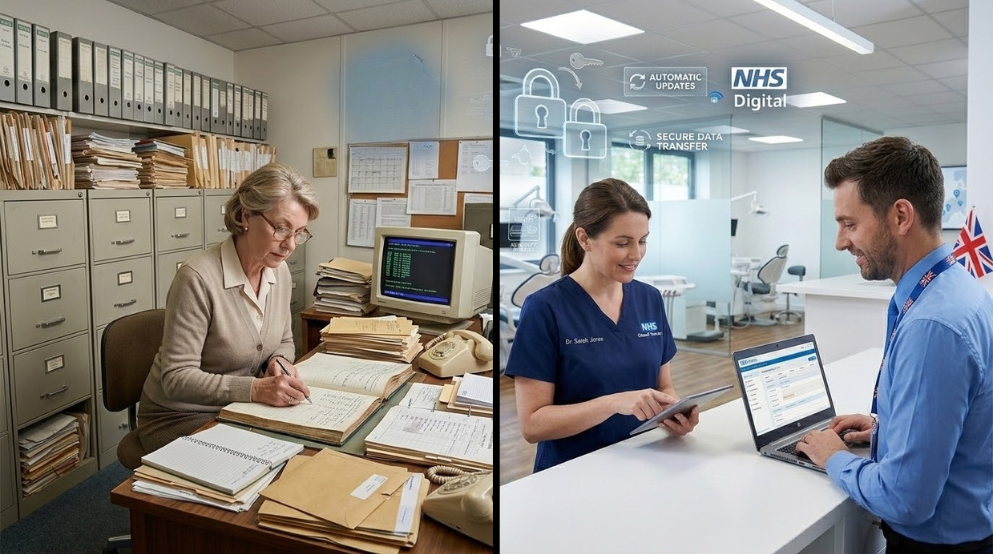
If you’ve been running a dental practice for more than a decade, you’ll remember the days of paper appointment books, bulging filing cabinets, and the mild panic every time a member of staff called in sick and no one else knew the password to the local server. Times have changed — and so have the tools available to you.
Cloud-based dental practice management software has shifted from being a novelty to a genuine mainstream option for practices across the UK. Whether you’re running a single-surgery NHS practice in Sheffield or a multi-site private clinic group in London, the conversations are happening. Your colleagues at BDA local branch meetings are talking about it. The software vendors are calling you every other week. And frankly, your current system might be starting to show its age.
But changing the software at the heart of your practice is no small decision. It touches everything — appointments, clinical notes, recalls, invoicing, NHS claims, and the daily experience of every person on your team. This guide is designed to cut through the marketing noise and give you a clear-eyed view of what moving to the cloud actually involves.
Understanding What “Cloud-Based” Actually Means for Your Practice
Let’s start with the basics, because “cloud” is a word that gets thrown around so casually it’s lost some of its meaning.
When software is cloud-based, it means the data and the programme itself live on remote servers — usually managed by specialist IT companies with high-grade infrastructure — rather than on a physical server box sitting in your practice’s back room. You access the software through a web browser or a dedicated app, and your data is stored and backed up off-site automatically.
This is different from the traditional model, where your patient records, appointments, and clinical notes lived on a server you owned and maintained, often with a VPN or local network setup that required someone to physically be in the building to access it.
What this means practically:
- Your practice manager can check appointment availability from home
- Your associates can pull up clinical notes from their laptop before an early start
- If your surgery floods or there’s a break-in, your data is safe and accessible from elsewhere
- Software updates happen automatically — no more waiting for the IT engineer to visit
Key Benefits for UK Dental Practices
Accessibility and Flexibility
One of the most tangible day-to-day improvements practices notice after moving to the cloud is accessibility. Reception staff can manage the appointment book from home during a remote working day. Principals can review end-of-day reports from their phone. Associates travelling between multiple sites aren’t wrestling with VPN connections or waiting for files to load over a slow link.
For practices with more than one location, the benefits multiply quickly. A centralised cloud system means patient records follow the patient, not the site — something that’s always been more complicated than it should be with legacy systems.
Automatic Updates and Reduced IT Burden
Traditional on-premise systems require regular updates that often need a specialist to carry out, patches that can break things unexpectedly, and hardware that eventually becomes too old to support modern software. With cloud-based systems, updates are pushed automatically by the provider. You wake up one morning to new features rather than a maintenance visit.
This also means your software will keep pace with regulatory changes. When NHS Digital updates requirements or CQC guidance shifts, your provider’s team handles the compliance update — not your already-stretched practice manager.
There’s a common misconception that keeping data on a server in your back office is safer than storing it in the cloud. In reality, for most practices, the opposite is true. Reputable cloud providers invest heavily in physical security, encryption, redundancy, and cyber security measures that simply aren’t feasible for a small or medium-sized dental practice to replicate on its own.
That said — and we’ll cover this in more detail shortly — you need to choose your provider carefully and ensure they meet UK-specific requirements around data handling.
Better Integration Between Systems
Modern cloud platforms are built with integration in mind. That means your recall system, your payment processing, your NHS claims portal, your digital radiography software, and your patient communication tools can often talk to one another in ways that old on-premise setups couldn’t manage without expensive custom work.
What to Watch Out For Before You Switch
It would be doing you a disservice to paint an entirely rosy picture. Cloud migration done poorly is genuinely disruptive, and there are real pitfalls that practices have walked into.
Internet Dependency
Cloud software requires a reliable internet connection. This sounds obvious, but it has real implications. If your broadband goes down, can you continue seeing patients? What’s the fallback procedure? Most cloud providers offer some form of offline mode or cached access, but you need to understand exactly what that looks like before you commit.
Check your current internet setup honestly. If you’re in a rural area or in an older building with poor infrastructure, you may need to invest in fibre broadband, a secondary connection, or a 4G/5G failover before migration becomes practical.
Data Migration Complexity
Your existing patient records — some going back many years — will need to migrate across. This is rarely as simple as it sounds. Data formats differ between systems, clinical notes may not transfer cleanly, and historical records sometimes need manual attention. A good software provider will support you through this, but you should ask very specific questions about the migration process, how long it’s expected to take, and what your data will look like on the other side.
Training Investment
Any software change requires retraining your team. People who’ve used the same system for ten years have deeply embedded habits, and a new interface — even a better one — will cause friction in the short term. Build this cost in, both in time and in your team’s goodwill.
Ongoing Subscription Costs
Most cloud solutions are sold as a subscription rather than a one-off licence. This changes your cost model from a capital expenditure to an ongoing operational cost. For some practices this is preferable; for others, particularly those used to owning their software outright, it can feel uncomfortable. Run the numbers over a five-year horizon to make a fair comparison.
CQC Compliance and Data Protection Under UK Law
This section deserves careful attention. UK dental practices operate under a specific regulatory environment, and your software choices have direct compliance implications.
UK GDPR and Data Processing Agreements
Since Brexit, the UK operates under UK GDPR rather than the EU version, though the practical requirements are similar. Any cloud software provider processing your patient data is acting as a data processor on your behalf. You are the data controller. This means you must have a Data Processing Agreement (DPA) in place with your software provider — and you should read it, not just sign it.
Confirm that your provider stores data in the UK or in a country with an adequacy decision from the UK government. Ask explicitly where your data is stored and what happens to it if you stop using the service.
NHS Requirements
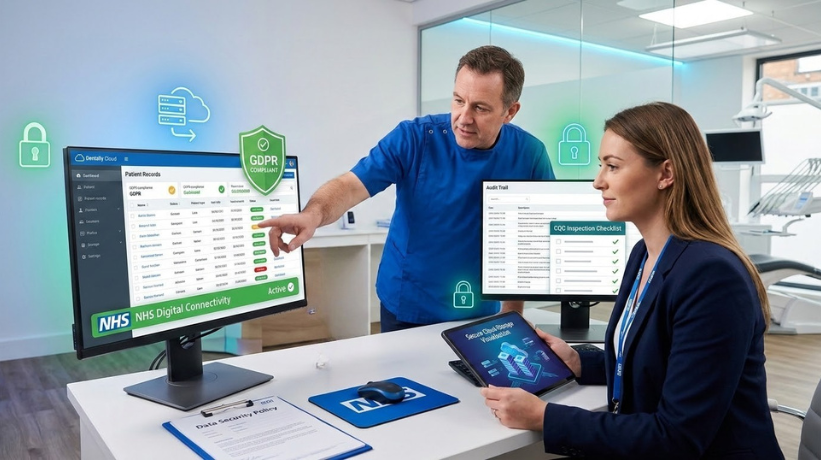
If you provide NHS dental services, you’ll be familiar with the requirement to use approved software for NHS claims submissions. Not all cloud dental systems have achieved NHS Digital connectivity. Before shortlisting any product, verify that it supports your specific NHS claims pathway and check the NHS Digital assured supplier list.
CQC Inspection Readiness
Your choice of software can affect how prepared you are for a CQC inspection. Inspectors expect practices to demonstrate robust record-keeping, clear audit trails, and evidence-based clinical governance. Cloud systems with strong reporting and audit trail features can actually make inspection preparation easier — provided the data is being used properly.
Choosing the Right Cloud Dental Software
The UK market has a growing number of options. Names you’ll likely come across include Dentally, Software of Excellence (SOE), Carestream Dental, Exact (formerly Software of Excellence), Curve Dental, and several others. Each has different strengths depending on your practice type, NHS or private status, size, and budget.
Questions to ask every vendor:
- Is your data stored in the UK?
- Do you have NHS Digital connectivity and which UDA/UOA pathways do you support?
- What does the data migration process look like, and what’s included in the cost?
- What is your uptime guarantee and what happens during outages?
- How do you handle software updates — will they ever require downtime?
- What training and ongoing support is included?
- Can we speak to two or three existing UK dental customers?
That last one is important. Talk to practices that have made the same move. Peer insight is worth far more than a vendor demo.
How to Manage the Transition Without Disrupting Your Patients
The biggest fear most practice owners have about switching software is disrupting the patient experience. Appointments getting lost. Recalls failing. Payment records going missing. These fears are understandable — and preventable with proper planning.
A sensible transition approach:
Run your existing system in parallel during an overlap period. This means slower daily processing for a time, but it allows you to verify that data has migrated correctly and catch problems before they affect patients.
Choose a low-volume period to go live. If you have a predictable quiet spell — whether that’s August, between Christmas and New Year, or a scheduled practice closure — plan your go-live around it.
Brief your patients in advance. A simple message explaining that you’re upgrading your systems and that there may be minor changes to your communications manages expectations and reduces calls from confused patients.
Designate an internal champion. Identify a team member who will lead the adoption — someone who’s enthusiastic, patient with colleagues, and willing to be the first port of call for questions. This person should get additional training before the wider team.
The Cost Reality: What You Should Budget For
Cloud dental software is rarely a straightforward apples-to-apples comparison with what you’re currently paying. Here’s a more complete picture of what to budget for:
Subscription fees typically range from around £150 to £600 or more per month depending on practice size, number of users, and feature set. Multi-site practices should negotiate actively.
Data migration may be included in your onboarding package or may be an additional cost. Clarify this in writing.
Training should be built into your budget even if the vendor offers free initial training. Factor in the hidden cost of reduced productivity during the learning curve — typically one to three months to reach full efficiency.
Hardware may need upgrading. Cloud software works best on modern browsers with decent hardware. If your surgery computers are ageing, this may be the catalyst to refresh them.
Internet connectivity improvements, if needed, will be a one-off infrastructure cost.
A realistic all-in figure for a medium-sized practice in the first year — including subscription, migration, hardware refreshes, and productivity dip — might fall between £5,000 and £15,000. Spread over several years, with the ongoing savings in IT maintenance and the efficiency gains, the business case is often positive. But be honest in your modelling.
Real Questions Your Team Will Ask (and How to Answer Them)
“What if the internet goes down?” — Most cloud systems offer a cached or offline mode for basic functions. You should also have a documented downtime procedure, just as you would for any system failure.
“Will my clinical notes look the same?” — Probably not exactly. There will be a period of adjustment to the new interface. The data will be there; it may just be organised differently.
“Is our patient data safe in the cloud?” — With a reputable, UK-compliant provider and a signed Data Processing Agreement, yes — in fact, it’s likely safer than on a local server maintained by a small practice. But choose your provider carefully.
“What happens to our old data if we leave?” — This is a crucial question. Your contract should specify that you can export your data in a usable format at any time and upon termination. Never sign with a provider who can’t answer this clearly.
Is Now the Right Time to Make the Move?
There’s no universal answer to this, but there are signs that the timing may be right for your practice.
Your current system is approaching end-of-life, or your supplier has announced it is being discontinued. Support contracts on older systems become expensive and the risk of compatibility issues with modern operating systems grows over time.
You’re expanding, adding associates, or opening a second site. The scalability of cloud systems suits practices that are growing.
Your team is already asking for better tools. If your receptionist is frustrated by the appointment book and your associates are complaining about slow access, dissatisfaction with the status quo is a strong signal.
Your IT costs are rising. If you’re spending more and more on maintaining ageing infrastructure, the cloud model starts to look more attractive financially.
If none of these apply — if your current system is working well, your team is happy, and you’re not planning to grow — there may be no urgency. But keep an eye on the landscape. The NHS is moving more of its infrastructure to digital-first approaches, and the direction of travel for UK dental software is clearly towards the cloud.
Making any significant change to how your practice operates takes courage, planning, and the willingness to sit with short-term disruption for long-term gain. The practices that are moving to cloud-based management and doing it well are not the ones who leapt in overnight — they’re the ones who researched carefully, asked hard questions, planned methodically, and brought their teams along for the journey.
The technology is ready. The question is whether your practice is.
This article is intended for informational purposes. For specific NHS compliance queries, consult NHS England guidance or your Local Dental Committee. For data protection advice, consult a qualified UK GDPR practitioner.